
Launch edition
Free
Try all export features in the launch edition.
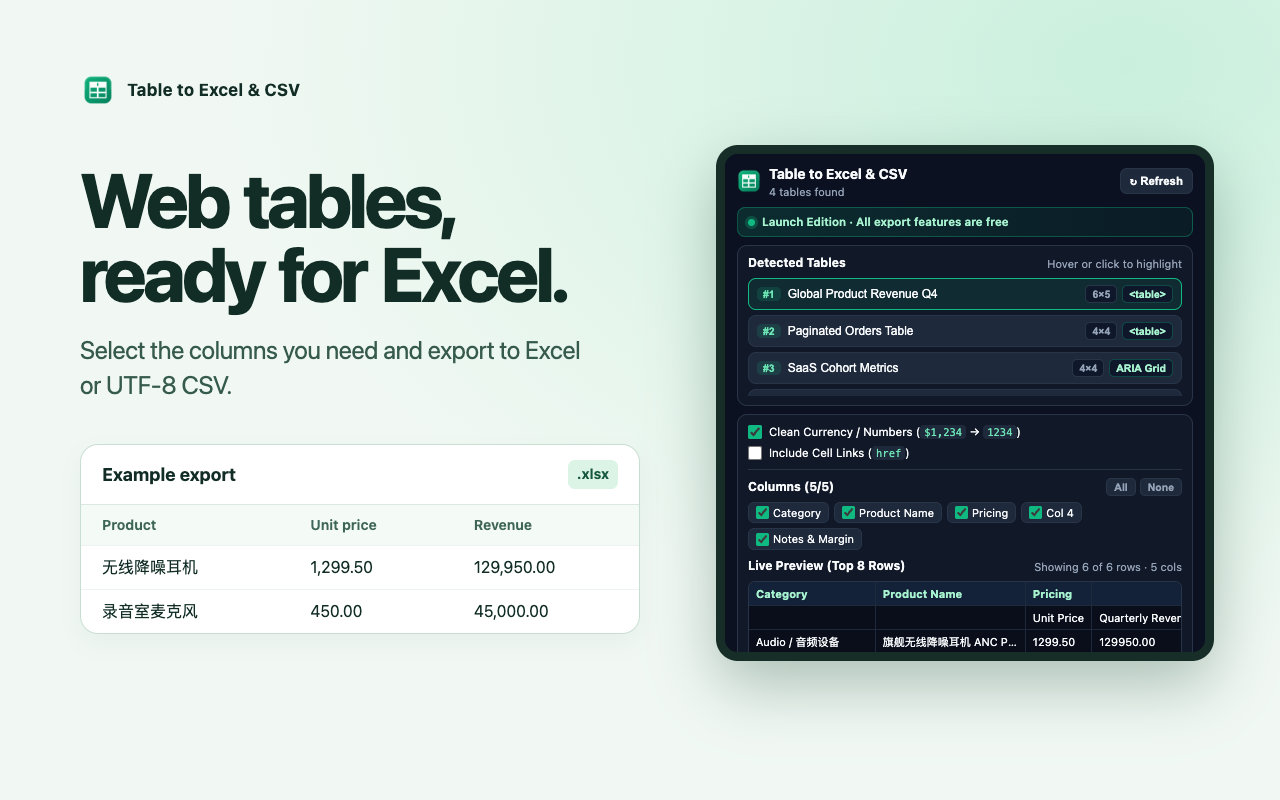
- Export a selected table to Excel or CSV
- Select columns and clean numeric values
- Try page batching and multi-sheet workbooks
A Chrome extension by Rewind Echo
Turn the tables you find on the web into Excel or CSV files. Pick the columns you need, preview the rows, and export in your browser.
Get the extensionFree launch edition Works on desktop Chrome
Interactive sample
| Product | Units | Revenue |
|---|---|---|
| Desk lamp | 36 | $2,520 |
| Monitor stand | 24 | $1,440 |
| Notebook set | 58 | $870 |
| Cable organizer | 42 | $504 |
How it works
Pricing
Start with the free launch edition. The planned Pro edition is for recurring work across several pages or tables.
Free
Try all export features in the launch edition.
$9.90 USD once
Save repeated exports as a single file.
Checkout is pending. The free preview is available now.
Desktop Chrome
Download version 1.0.0 and load it as an unpacked extension. The sample sales table above is ready to try with the installed extension.
Download extension ZIPmanifest.json file.chrome://extensions in the address bar and turn on Developer mode.